Game development on MAUI (Part 4: UI and Game Over)
Updated: Jun 25, 2025
Hi, everyone! 👋
✨ We've already made great progress in bringing our Hydra 🐉 to life, adding animations, movement, enemies 👾, and interactions. But to call it a complete game, we need one crucial element — the possibility of losing. 🎮
In this part, we’ll focus on UI improvements 🖥️ and game over mechanics ☠️. We’ll add a health bar ❤️ to indicate the Hydra’s remaining strength and implement a Game Over screen to signal defeat. These additions will make the gameplay more immersive and structured.
We're continuing our game development on MAUI, ensuring smooth UI rendering and responsive mechanics. Let’s dive in! 🚀
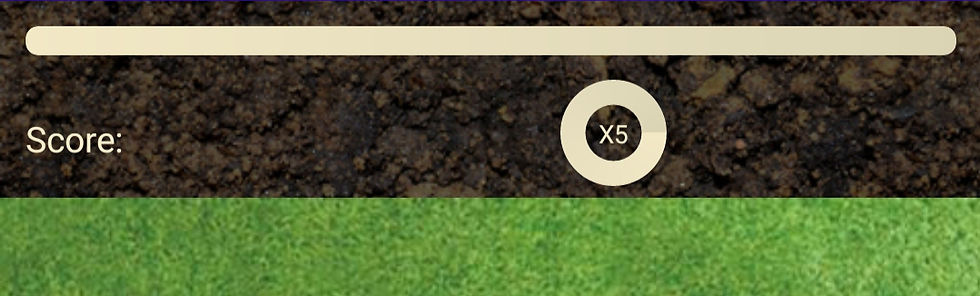
The user interface (UI) plays a crucial role in enhancing the gameplay experience, providing players with important visual feedback. To build our UI, I used a progress bar from Com.Igniscor.Maui to create a satiety indicator, letting players track the Hydra's hunger level. Additionally, I utilized Com.Igniscor.Maui.RadialProgressBar to create a combo timer, which will encourage players to chain attacks effectively.
With these elements in place, the Game page now presents a more structured and informative layout, ensuring that players stay engaged and aware of their progress during the game. Below is how the updated code looks:
And here’s what we got! Now, the screen displays essential game elements: the satiety bar shows how hungry our Hydra is, while the combo timer helps track the time for successful attacks.
To ensure everything functions correctly, I introduced several new properties in the ViewModel. These properties handle the logic behind the UI components, such as updating the satiety bar based on the Hydra's actions and managing the combo timer to keep track of attack sequences. With these additions, the game can now provide real-time feedback to the player, making interactions feel more responsive and engaging.
These constants and fields play a crucial role in shaping the gameplay mechanics.
private const float MaxSatiety = 1.5f;
private const float SpiderValue = 0.05f;
private const float StarvePerSecond = 0.0045f;
private const float ComboPerSecond = 0.032f;
private bool _isCombo;
MaxSatiety - determines the highest level of satiety the Hydra can reach
SpiderValue - defines how much satiety is restored when consuming a spider
StarvePerSecond - controls how quickly the Hydra loses satiety over time
ComboPerSecond - dictates the speed at which the combo timer decreases
_isCombo is a flag used to track whether a combo is currently active
In the animation loop, we implemented logic to gradually decrease both satiety and combo progress, ensuring a dynamic challenge for the player.
Each frame, the Hydra's satiety level is reduced by StarvePerSecond, simulating the need for continuous feeding. Similarly, if a combo is active, the combo progress decreases at a rate defined by ComboPerSecond. This system encourages players to maintain a steady rhythm of consuming enemies to sustain their satiety and keep combos going.
Satiety -= StarvePerSecond;
ComboProgressBarPercents -= ComboPerSecond;
Additionally, the logic is updated to handle enemy interactions, specifically when the spider is killed during an attack:
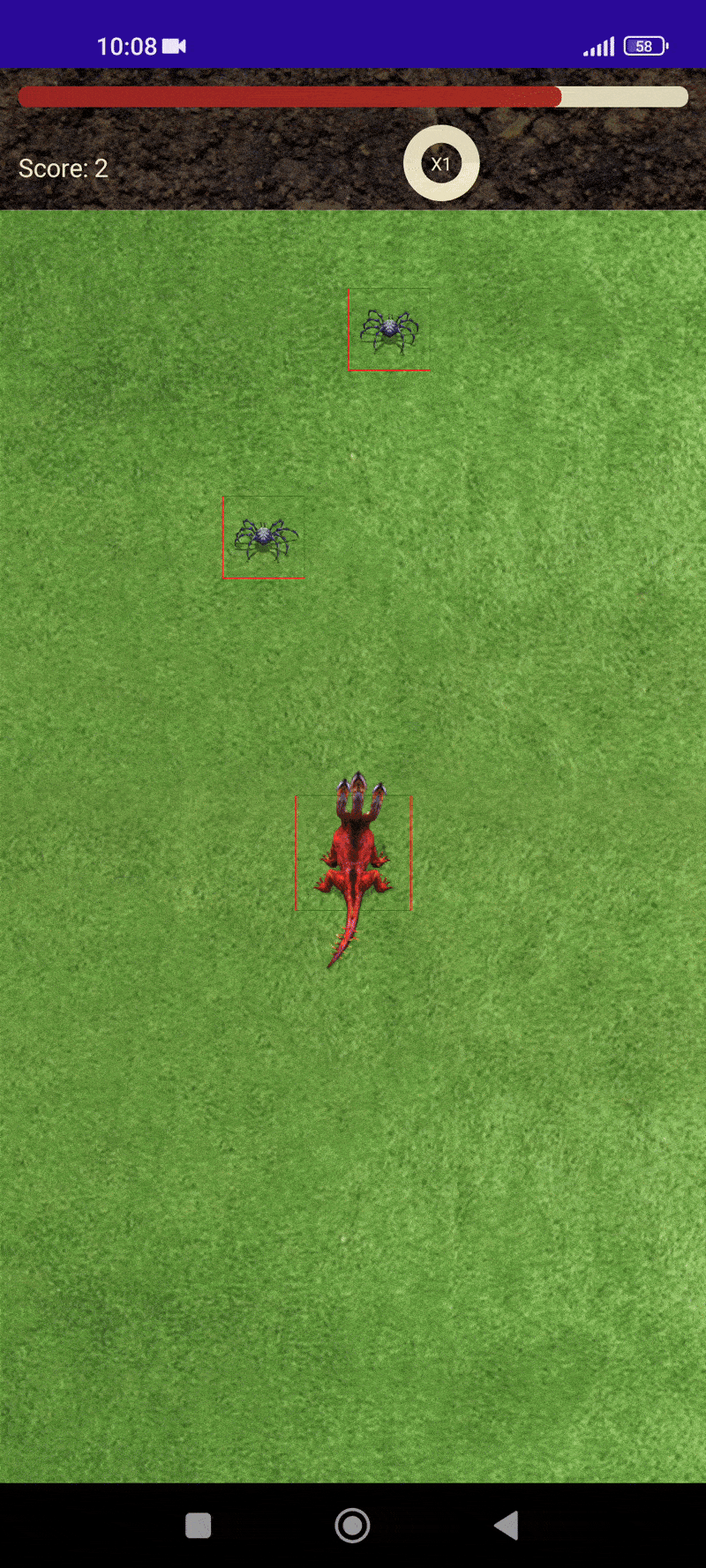
You can see our progress so far! With the new UI elements in place and the satiety and combo mechanics fully implemented, the game now feels more dynamic and engaging.

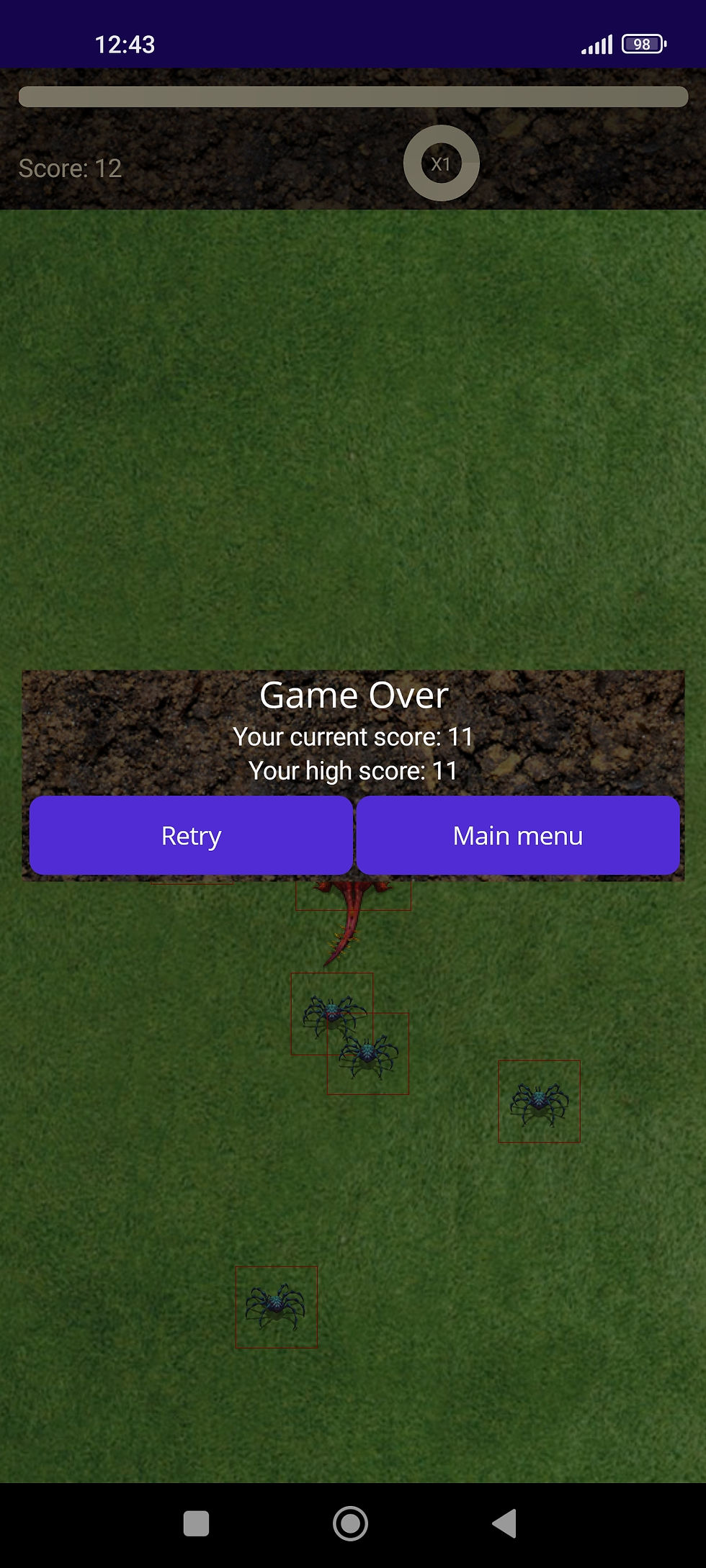
To provide clear feedback to the player when they lose, I implemented a Game Over popup using the Mopups package. This popup serves as a crucial element of the user experience, informing players that their session has ended and allowing them to restart or navigate back to the main menu.
To make the system more flexible, I created a base popup class, which will also serve as a foundation for future popups. This approach ensures consistency in UI design and simplifies the process of adding new popups for different in-game events.
I create the BasePopupViewModel to manage popup return values, and GameOverViewModel for the Game Over popup:
DialogReturnStatus and Value to get return value from popup.
Finally, here is the Game Over Popup XAML file, which defines the layout and appearance of the popup when the player loses:
You can see our result below:
Code-behind for GameOverPopup:
In addition, I added the following methods in the GameViewModel to handle game reset and other logic:
To ensure the Reset method works correctly, you need to register the GamePage route in the Shell. This ensures smooth navigation between pages and the proper execution of methods.
When the Satiety level drops below zero, GameOver is triggered via Task.Run. This allows the game to end automatically as soon as the player runs out of satiety points, without slowing down the gameplay.
And here’s what we’ve achieved so far! With the UI, gameplay mechanics, and Game Over functionality in place, everything is coming together. Now, let’s see how all the pieces fit in action!
Summary
We've made great progress in bringing our Hydra game to life! From adding dynamic movement and animations 🐉, to implementing enemies 👾 and a Game Over screen 💀, we've successfully built the foundation for a fun and interactive game. With a functional UI and engaging gameplay mechanics, players now have a clear path to victory — or defeat!
But this is not the end! There's still much to improve and refine as we continue working on the game. Stay tuned for more updates as we dive deeper into refining the game mechanics and adding new features. 🎮✨
The full code from this article will be here 📂.
📖 Missed the Previous Parts? Catch Up Here!
If you haven’t read the earlier parts of our Game Development on MAUI journey, check them out:
🔹 Part 1: Setting Up Animations – bringing our Hydra 🐉 to life with animations and sprite management.
🔹 Part 2: Movement Mechanics – implementing smooth movement, animation transitions, and adding shadows for depth.
🔹 Part 3: Enemies – adding enemies to the game, creating enemy animations, and implementing interactions between the Hydra and enemies.


Comments